Teachers live a specific media problem: the ideal clip for tomorrow's lesson — the documentary segment, the guest speaker recording, the student project from last year — has exactly one word in it that can't be played to a room of ninth-graders with the door open.
The traditional options are giving up on the clip, awkwardly scrubbing the volume knob live, or begging whoever knows video editing. CensorMate replaces all three: drop the file in, list the words, review the transcript, download the classroom-safe version. It runs in the browser on any school machine, installs like any Chrome extension, and — critically for district data policies — never uploads the recording anywhere.
How it works — 3 steps, about 3 minutes
1. Drop in your file and list your words
Drag your video or audio into CensorMate and add the words to censor — type them, load the built-in profanity pack, or upload a whole keyword list.
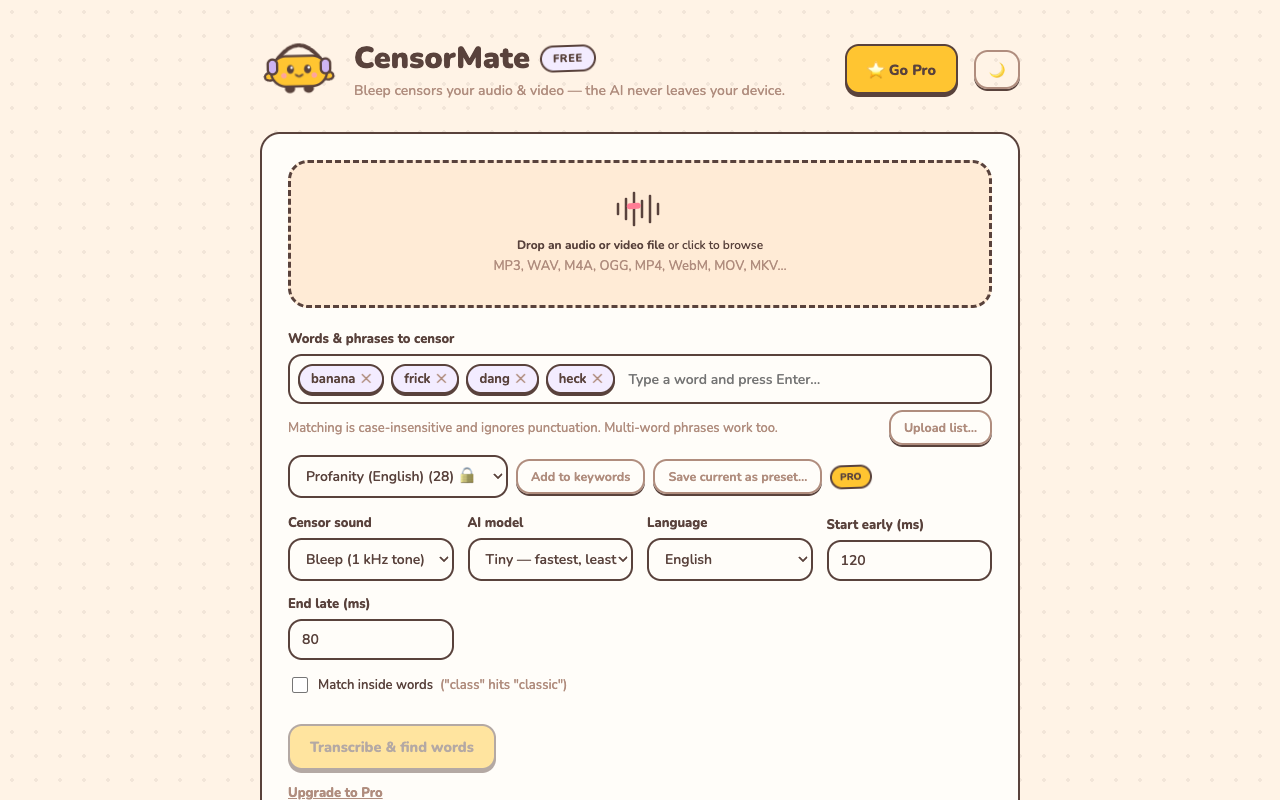
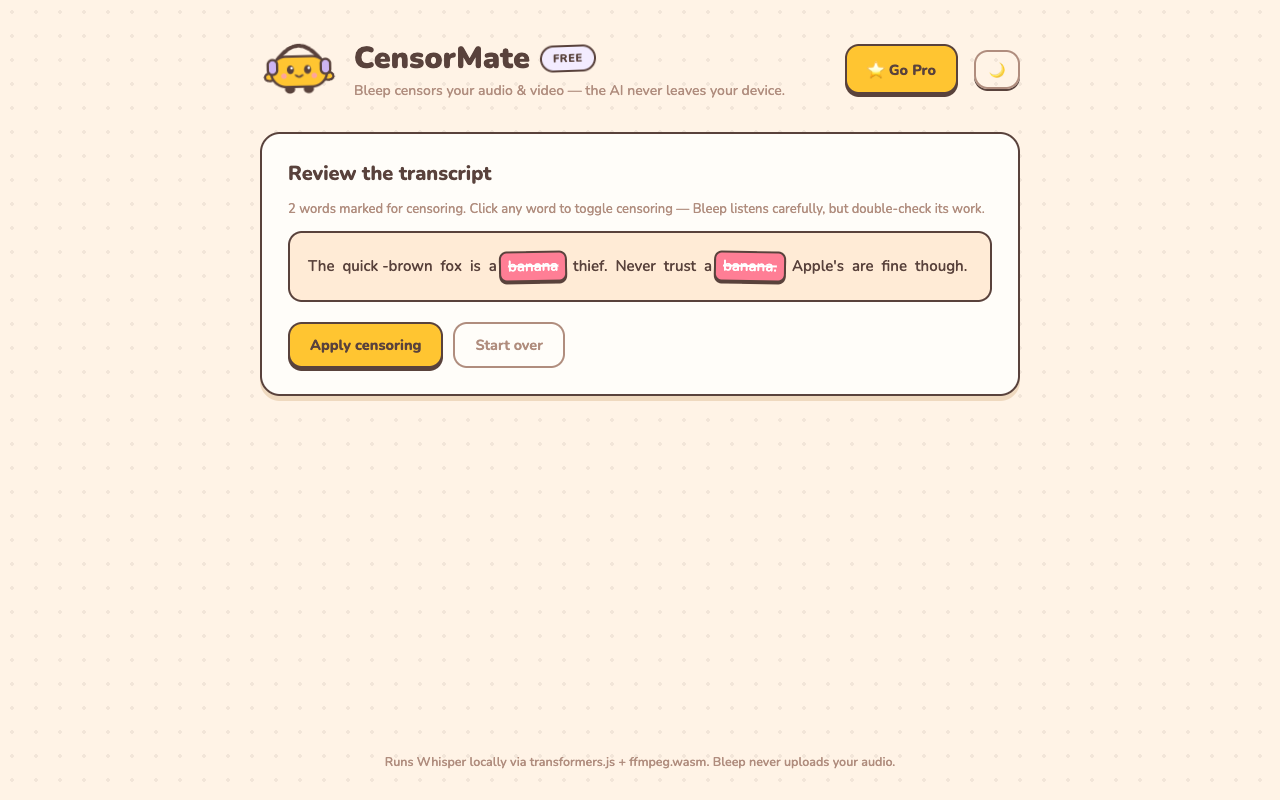
2. Review what the AI found
The AI transcribes locally (nothing is uploaded) and highlights every match with word-level timing. Click any word to censor or spare it — you get final say.
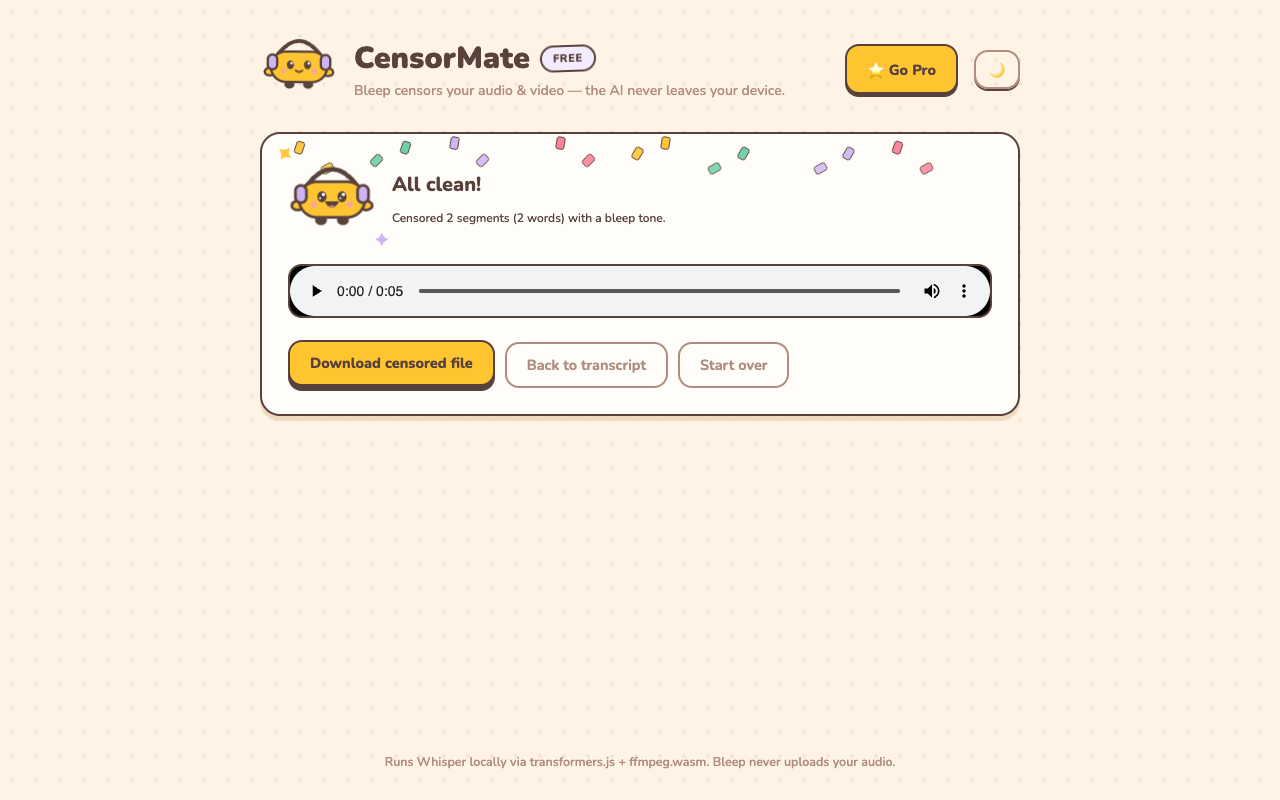
3. Download the clean version
Bleep or silence — your pick. Video quality is untouched (only the audio track is rebuilt) and the file is ready to publish.
Classroom-specific tips
- Student privacy doubles as a use case. Censoring isn't just profanity — bleep student names out of recordings before sharing them beyond the class.
- Preview with the built-in player. Check every bleep before the bell rings — no surprises mid-lesson.
- Silence mode for subtlety. For younger grades, a quiet gap draws less attention than a loud bleep tone.
- Keep a grade-level word list. What's fine for seniors isn't for sixth grade; upload a stricter list for younger classes in one click.
✂️ Ready? Watch it bleep your file free in about three minutes — keep the result for $4.99 (24-hour pass) or $3.99/mo.
Open CensorMate🔒 On-device AI. Nothing gets uploaded — to us or anyone.
Frequently asked
Can I censor any video for class use?
CensorMate edits media you have the right to modify: your own lecture recordings, student projects, school event footage, and material you have permission to adapt. For commercial films, check your school’s media policy and licensing first.
Is this safe for recordings with students in them?
This is CensorMate’s strongest fit for schools: the AI runs entirely in your browser, so recordings containing students never get uploaded to a third-party service — a real consideration under FERPA and district data policies.
Is it free for teachers?
Previewing is free on any file up to 10 minutes — full transcript, every match highlighted, each bleep audible in place. Keeping the censored file costs $4.99 for a 24-hour Day Pass with unlimited exports (no subscription) or $3.99/mo — a one-day prep session’s worth of clips fits in one pass. The $79 one-time license avoids running a subscription past a department budget.
Can I censor more than swear words?
Yes — any word or phrase. Teachers use it for names (privacy), mature terms in otherwise usable material, and even spoilers before a class watches the ending.
Related: Censor church & ministry media · Censor wedding videos · How to censor videos online