Church media teams handle a specific tension: the most powerful content — raw testimonies, guest speakers, street-interview outreach — is exactly the content most likely to include language that can't go out to the whole congregation, the youth group feed, or the church's public YouTube channel.
Manual editing puts a volunteer in an editor timeline for an evening. CensorMate does it in minutes: the AI transcribes locally, flags the words on your list, and your media team reviews the transcript and approves each bleep — or opts for discreet silence instead. Sensitive recordings never leave the machine, which matters when the content is someone's personal story.
How it works — 3 steps, about 3 minutes
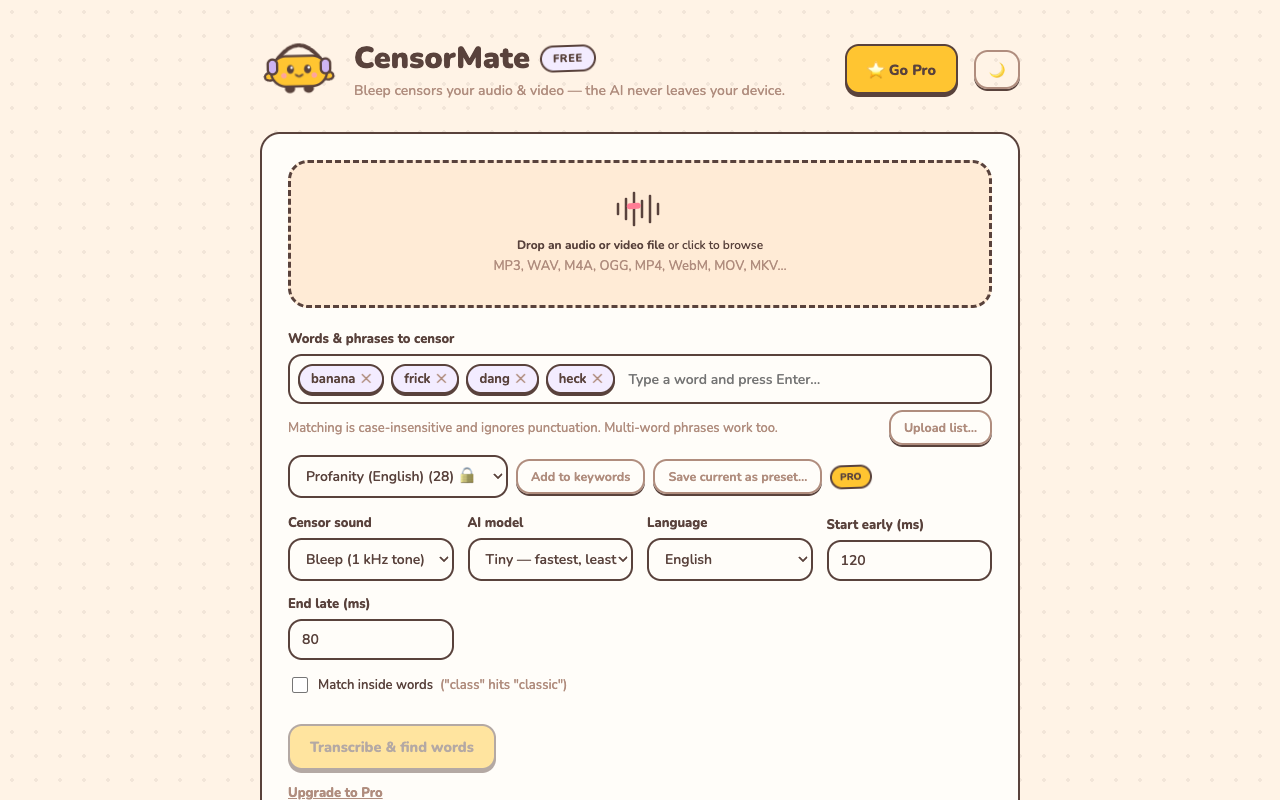
1. Drop in your file and list your words
Drag your video or audio into CensorMate and add the words to censor — type them, load the built-in profanity pack, or upload a whole keyword list.
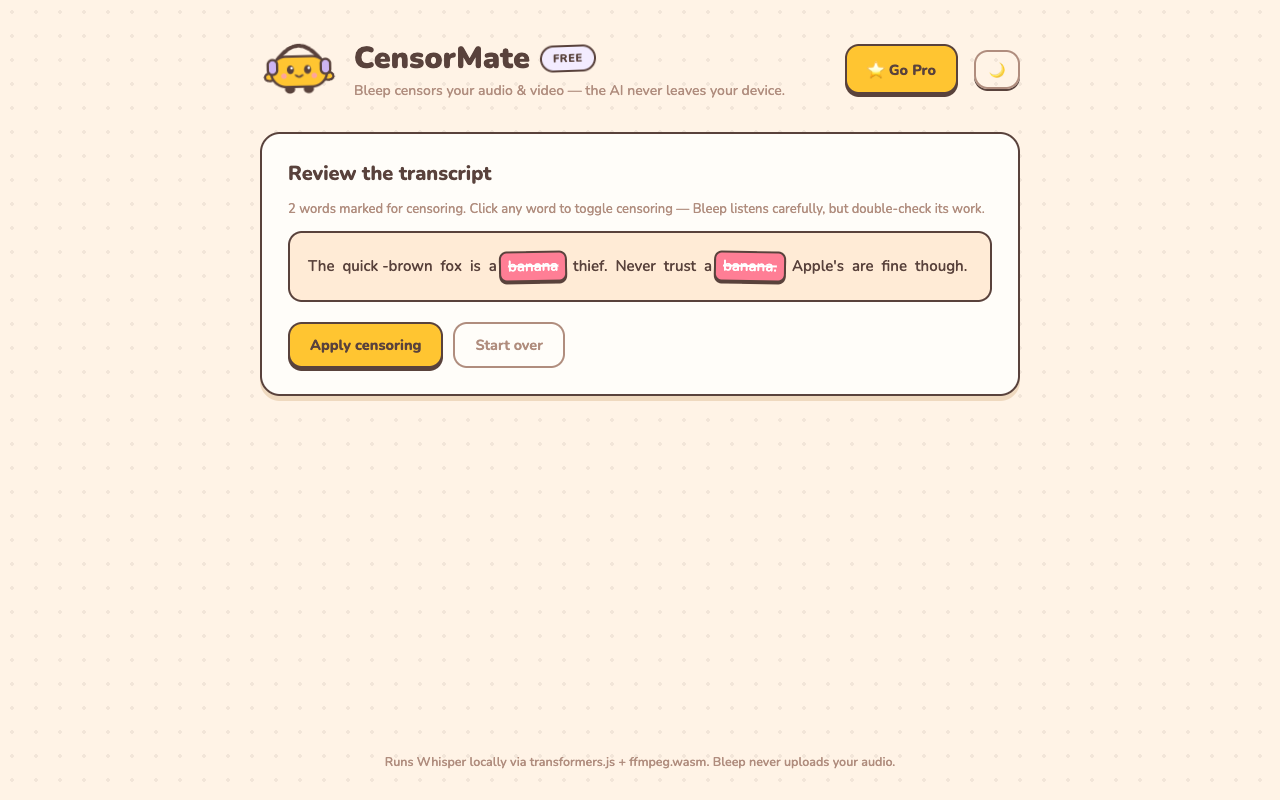
2. Review what the AI found
The AI transcribes locally (nothing is uploaded) and highlights every match with word-level timing. Click any word to censor or spare it — you get final say.
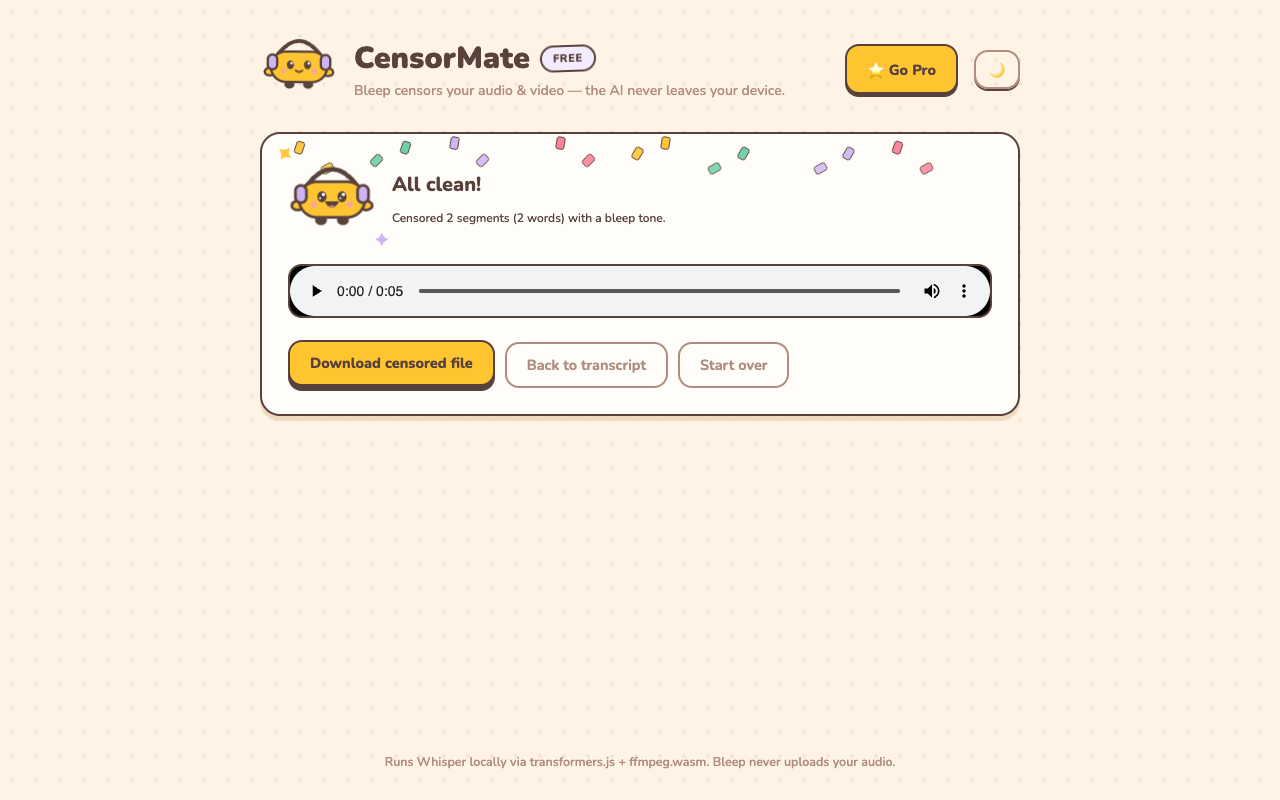
3. Download the clean version
Bleep or silence — your pick. Video quality is untouched (only the audio track is rebuilt) and the file is ready to publish.
Ministry-specific tips
- Silence mode is your friend. For testimonies, a soft silence is often more respectful than a broadcast bleep — it reads as an edit, not a censure.
- Keep one word list for the whole team. Export your standards once (CensorMate accepts uploaded lists), and any volunteer gets identical results.
- Youth and kids channels need the strict list. Words fine for the main service feed may not fit the kids' ministry channel — Pro's saved lists let you keep both standards one click apart.
- Own recordings only. CensorMate is for media you have rights to edit — your services, your events, your interviews.
✂️ Ready? Watch it bleep your file free in about three minutes — keep the result for $4.99 (24-hour pass) or $3.99/mo.
Open CensorMate🔒 On-device AI. Nothing gets uploaded — to us or anyone.
Frequently asked
Why would church media need censoring?
Real stories from real people: testimonies about life before faith, guest speakers, interview outreach content, or clips recorded in public settings. The message is worth sharing; a stray word shouldn’t stop it.
Is it appropriate to edit someone’s testimony?
Bleeping a word (or replacing it with silence) preserves the speaker’s story while making it shareable across all your channels and age groups. Many ministries prefer silence mode for subtlety — CensorMate does either.
Does the recording get uploaded anywhere?
No — that’s the point of CensorMate. Pastoral and testimony recordings can be sensitive; the AI runs entirely in the church computer’s browser, and files never leave it.
Is it free for ministry use?
Previewing is free on any file up to 10 minutes — full transcript, every match highlighted, each bleep audible in place. Keeping the censored file costs $4.99 for a 24-hour Day Pass with unlimited exports (no subscription) or $3.99/mo. For media teams, the $79 lifetime license is one payment with no subscription to expense; full sermon-length files need Pro either way (the preview covers 10 minutes).
Related: Censor classroom videos · Censor podcast episodes · Censor YouTube videos