Every wedding has one: the toast that brought the house down and can never, ever be shown to the couple's grandparents in its original form. The footage is precious, the moment is irreplaceable, and two words are the only problem.
Wedding footage is also exactly the kind of file you shouldn't upload to a random online tool — it's personal, it's irreplaceable, and it's full of people who didn't consent to being on some SaaS company's servers. CensorMate censors it in your browser: the AI transcribes the speech locally, you click the words that need bleeping in the transcript, and you download a family-safe copy while the original stays untouched.
How it works — 3 steps, about 3 minutes
1. Drop in your file and list your words
Drag your video or audio into CensorMate and add the words to censor — type them, load the built-in profanity pack, or upload a whole keyword list.
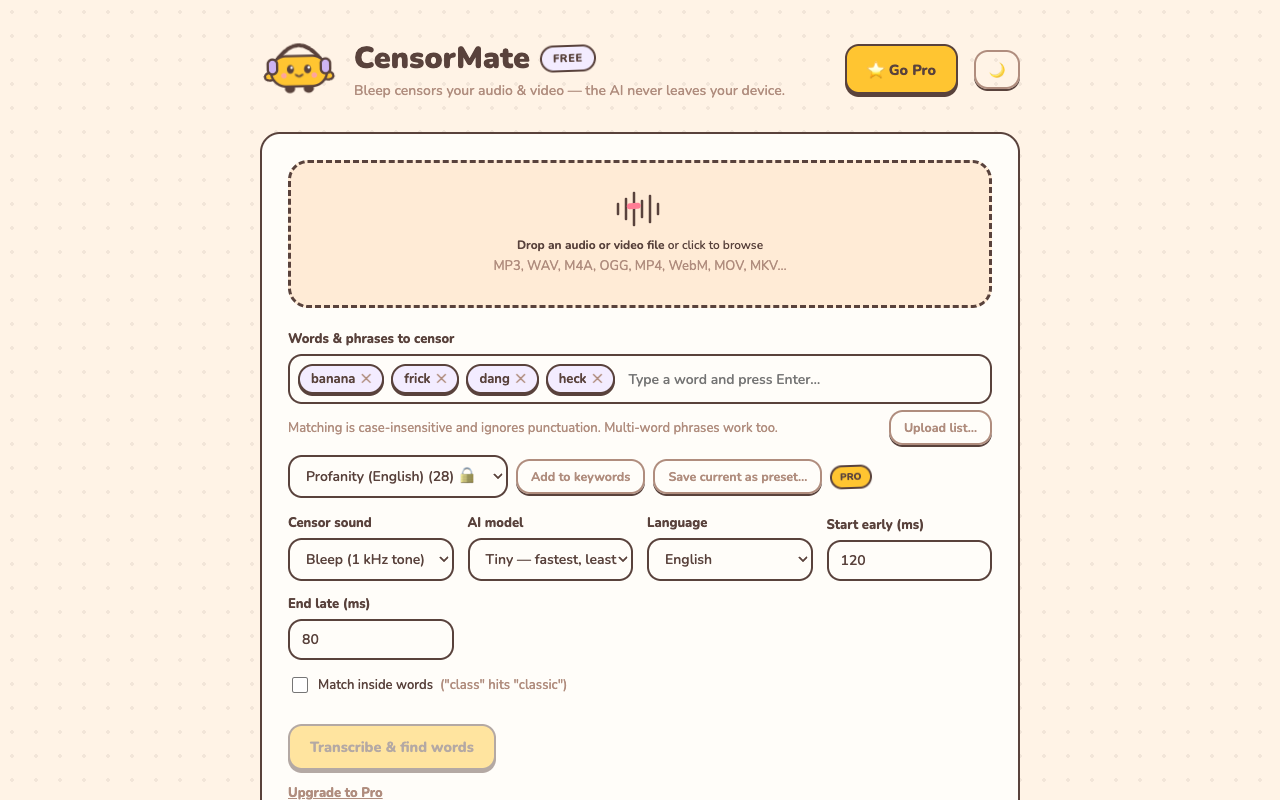
2. Review what the AI found
The AI transcribes locally (nothing is uploaded) and highlights every match with word-level timing. Click any word to censor or spare it — you get final say.
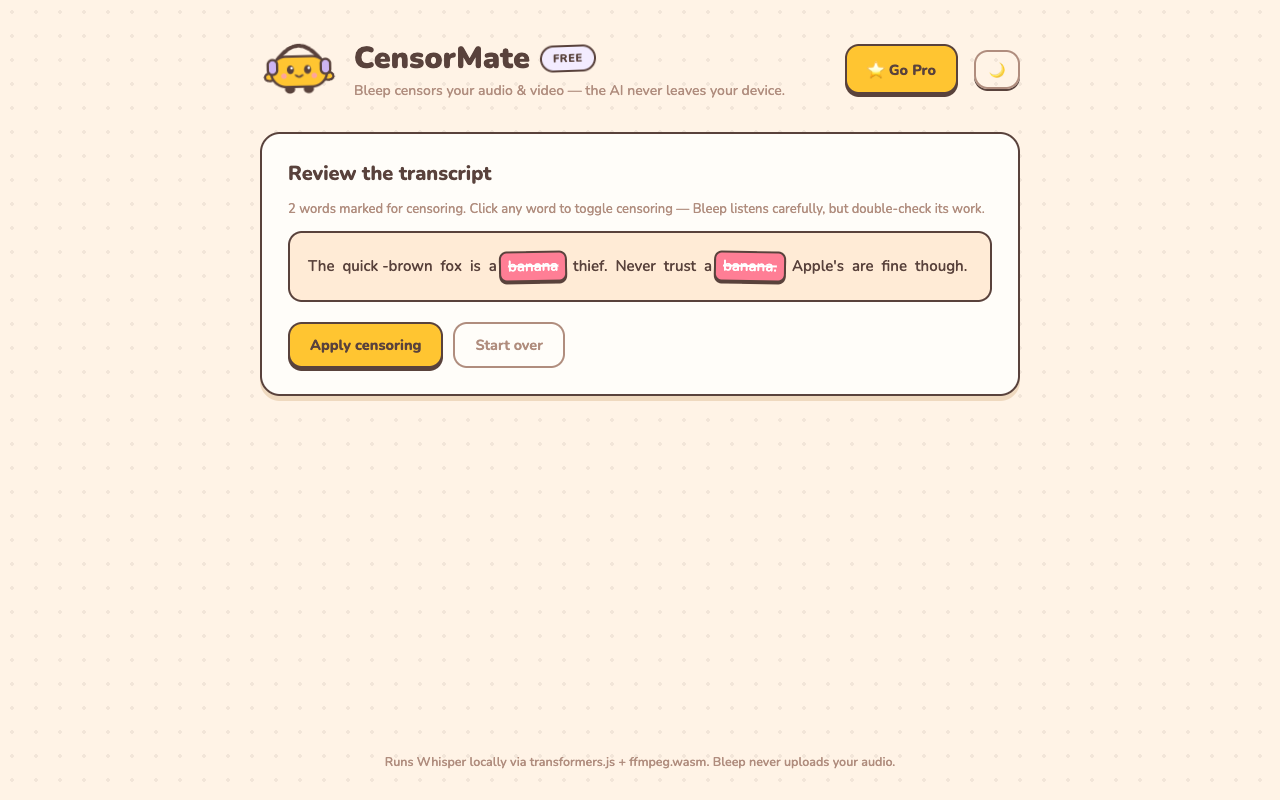
3. Download the clean version
Bleep or silence — your pick. Video quality is untouched (only the audio track is rebuilt) and the file is ready to publish.
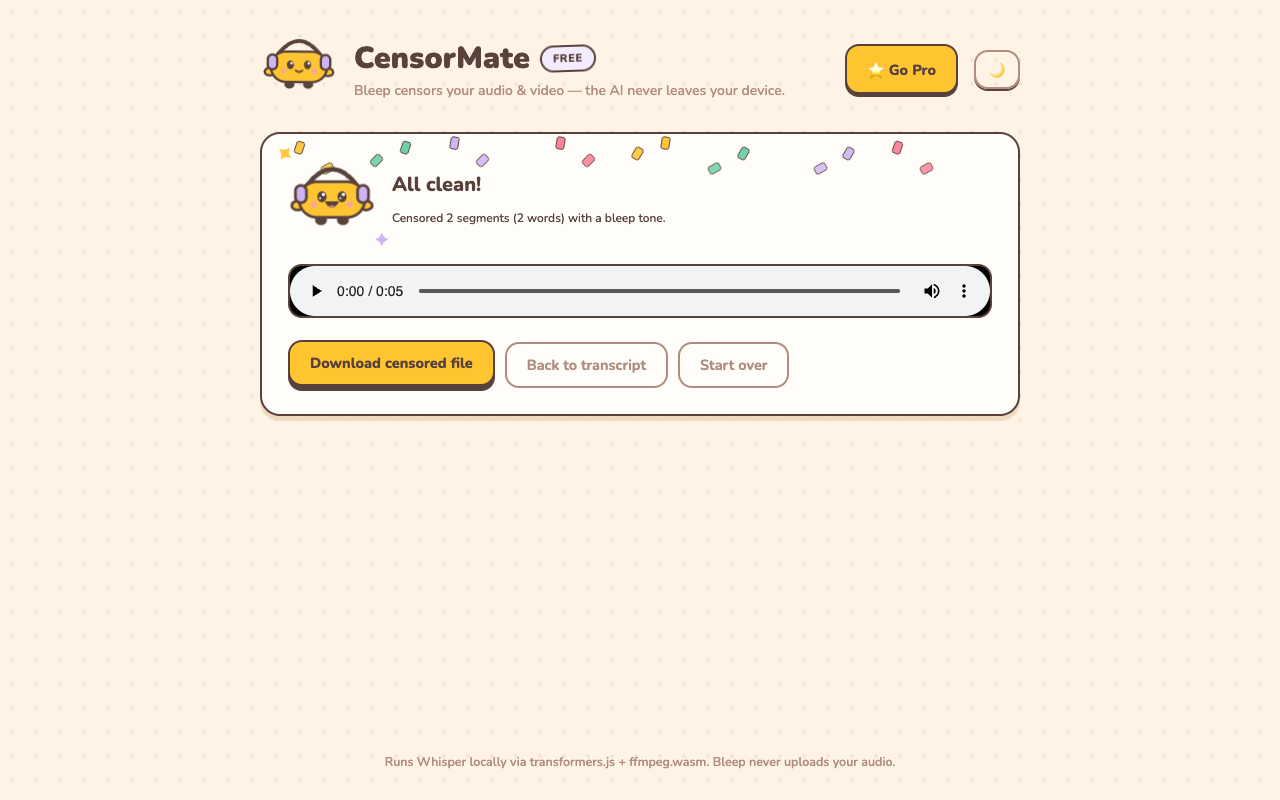
Wedding-specific tips
- Make two cuts: archive and share. Keep the uncensored original as the private archive; the censored version is the one that goes to the family group chat.
- Toasts and speeches first. If censoring a whole reception video feels like a lot, export just the speeches segment and clean that — it's where 95% of the words live.
- Silence reads formal, bleep reads funny. For a sentimental montage use silence; for the best man's roast, the bleep is part of the comedy.
- Videographers: it's a deliverable. "Family-safe speech edit" is a line item clients genuinely pay for, and it takes you three minutes.
✂️ Ready? Watch it bleep your file free in about three minutes — keep the result for $4.99 (24-hour pass) or $3.99/mo.
Open CensorMate🔒 On-device AI. Nothing gets uploaded — to us or anyone.
Frequently asked
Why not just cut the whole joke out?
Because the joke is the memory. A well-placed bleep keeps the moment (and usually makes it funnier) instead of leaving a suspicious jump-cut in the middle of the best man’s speech.
Is it safe for one-of-a-kind footage?
CensorMate never modifies your original file — it produces a new censored copy, and nothing is ever uploaded anywhere. Your original stays untouched on your drive. (Still: keep backups of wedding footage. Always.)
I’m a videographer — can I use this in my delivery workflow?
Yes, and it’s a tidy upsell: deliver the full uncut edit plus a “family-safe” version of the speeches. The keyword list persists between projects, and Pro’s $79 lifetime license avoids another subscription in your stack.
What formats do wedding videos usually need?
MP4 and MOV both work directly (WebM and MKV too). Video quality is untouched — only the audio track is rebuilt around the bleeps.
Related: Censor classroom videos · Censor YouTube videos · Free bleep sound effects