YouTube's advertiser-friendly system listens to every word of your upload — and profanity is the single most common reason creators see the yellow "limited ads" icon. One strong word in your intro can cut a video's revenue by half or more, and the automated rating lands before a human ever reviews anything.
The old fix was manual: scrub the timeline, find each word by ear, cut, overlay a bleep tone. The 2026 fix takes three minutes, runs entirely in your browser, and never uploads your footage anywhere — which matters, because the file you're censoring is by definition the one with the words you don't want public.
How it works — 3 steps, about 3 minutes
1. Drop in your file and list your words
Drag your video or audio into CensorMate and add the words to censor — type them, load the built-in profanity pack, or upload a whole keyword list.
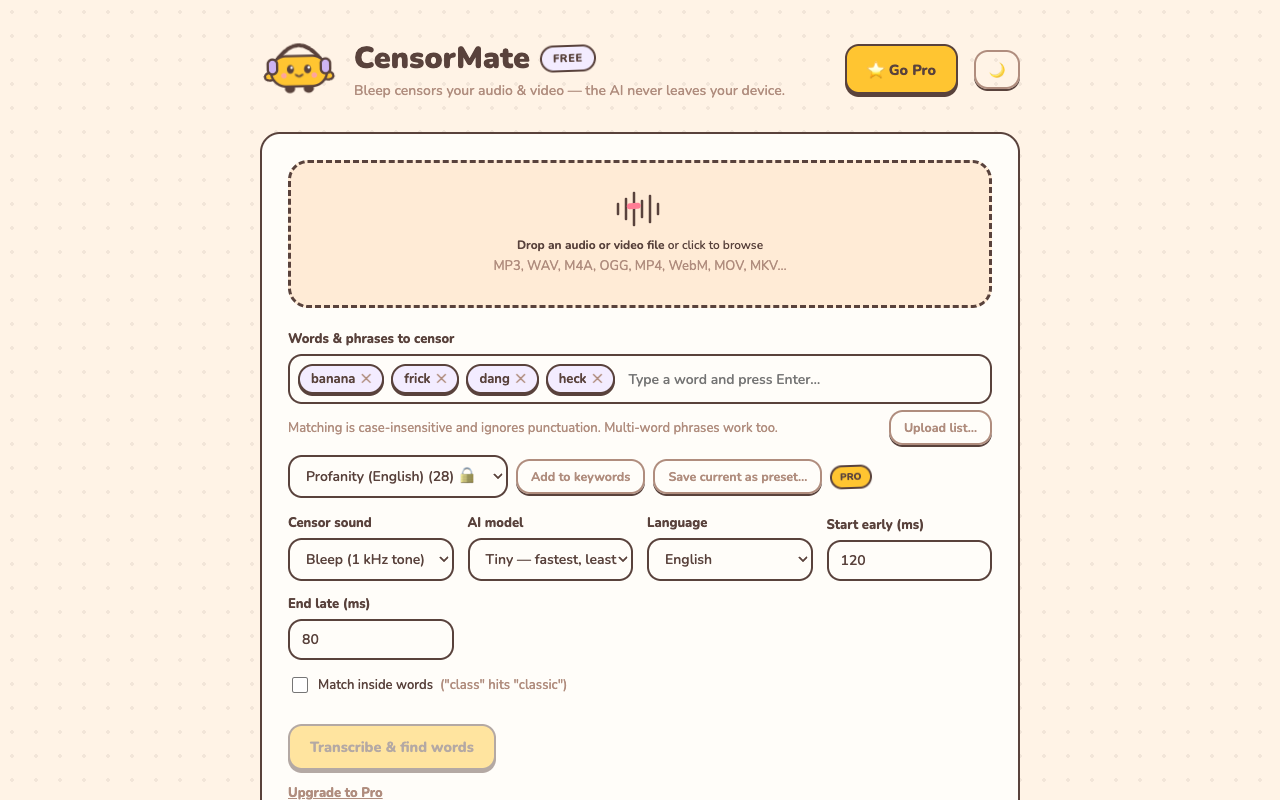
2. Review what the AI found
The AI transcribes locally (nothing is uploaded) and highlights every match with word-level timing. Click any word to censor or spare it — you get final say.
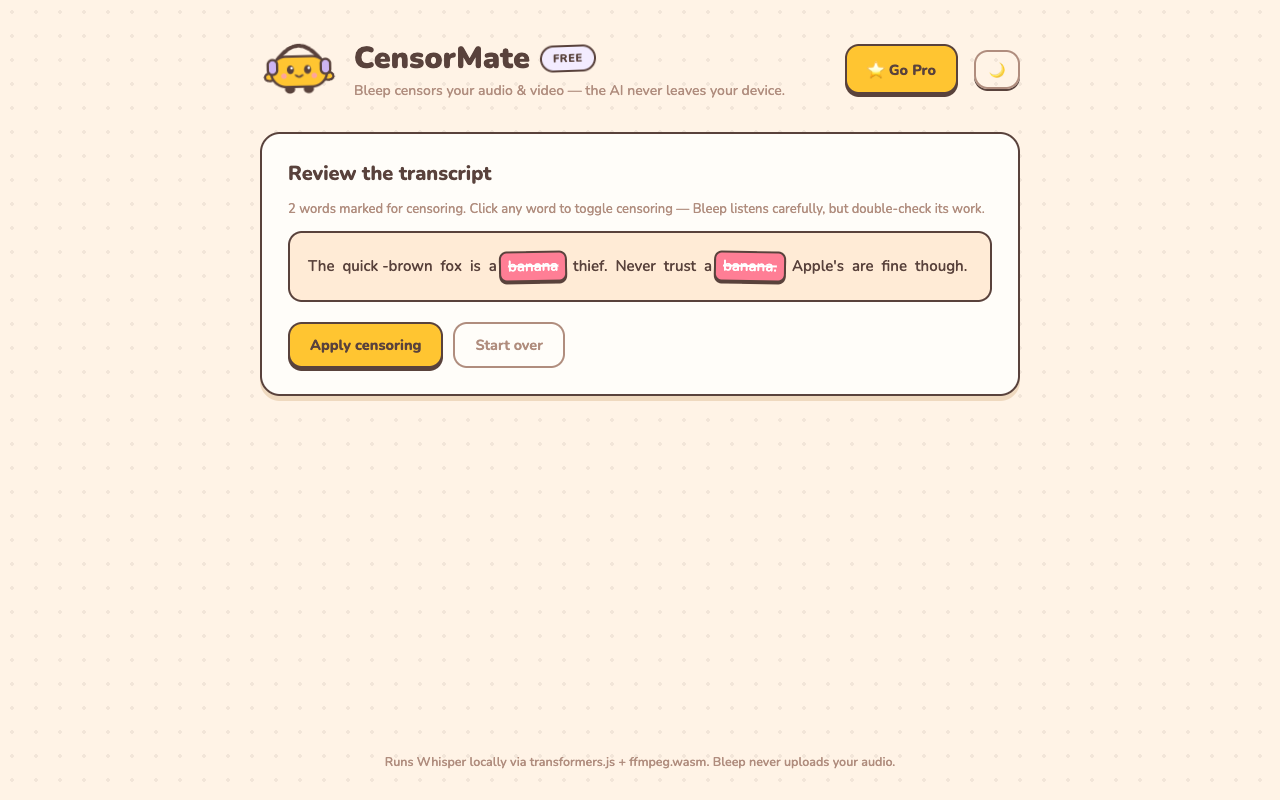
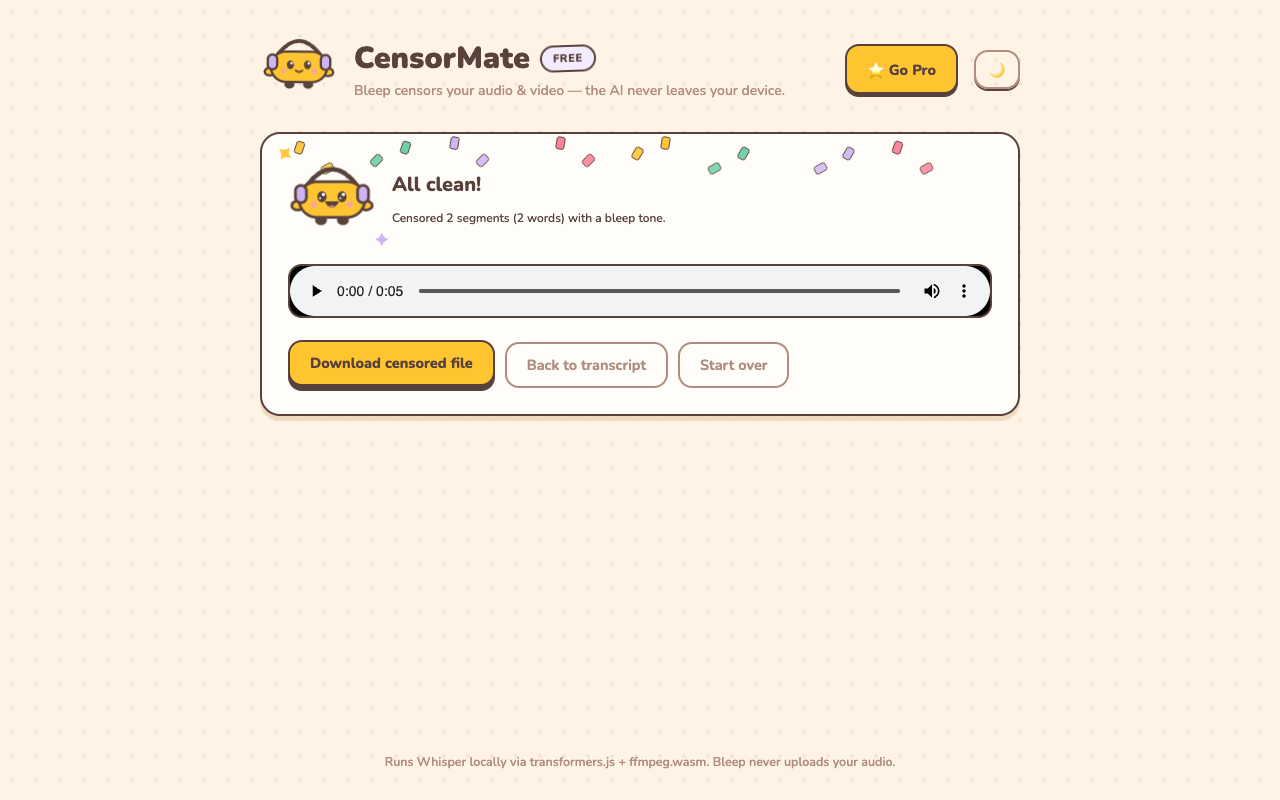
3. Download the clean version
Bleep or silence — your pick. Video quality is untouched (only the audio track is rebuilt) and the file is ready to publish.
YouTube-specific tips
- Treat the first 15 seconds as sacred. YouTube's classifier weights your intro far more heavily than the rest of the video. If you censor nothing else, censor the cold open.
- Censor the source, not the upload. Fixing a flagged video after the fact means re-uploading and losing views, comments, and ranking signals. Run every export through CensorMate before it touches YouTube.
- Regenerate captions from the censored audio. Uploading an old subtitle file with the uncensored words defeats the purpose — YouTube scans captions too.
- Keep a channel keyword list. CensorMate saves your list between sessions, so censoring becomes a 3-minute step in your export routine rather than a project.
✂️ Ready? Watch it bleep your file free in about three minutes — keep the result for $4.99 (24-hour pass) or $3.99/mo.
Open CensorMate🔒 On-device AI. Nothing gets uploaded — to us or anyone.
Frequently asked
Will censoring affect my video quality?
No. CensorMate copies your video stream untouched and rebuilds only the audio track. There is no re-encoding of the picture and no double-compression before YouTube’s own processing.
Can I censor a video that’s already on YouTube?
You need the source file — censor it with CensorMate, then either re-upload (new URL) or use YouTube Studio’s editor for small trims. For anything more than one or two words, censoring the source and re-uploading is cleaner. Best practice is always to censor before the first upload.
Does YouTube really demonetize for one swear word?
Strong profanity in roughly the first 7–15 seconds is the highest-risk pattern and can trigger limited ads on its own. Repeated strong profanity throughout has a similar effect. Our demonetization guide covers the current rules in detail.
What does it cost for YouTube videos?
Previewing is free on any file up to 10 minutes — full transcript, every match highlighted, each bleep audible in place. Keeping the censored file costs $4.99 for a 24-hour Day Pass with unlimited exports (no subscription) or $3.99/mo. Most YouTubers publishing regularly go $3.99/mo or $79 lifetime; the pass suits a one-time backlog cleanup before a monetization review.
Related: YouTube auto-censor: bleep swearing automatically · Avoid YouTube demonetization: the complete guide · Censor YouTube Shorts · Censor Twitch VODs & clips