Every gamer has the clip: a genuinely incredible play narrated by the least advertiser-friendly sentence ever spoken. Post it raw and the options are all bad — YouTube limits the ads, TikTok throttles the reach, and your more brand-conscious Discord servers quietly delete it.
The bleep fixes the clip without killing the energy — arguably it adds comedic timing. CensorMate finds every word automatically (yours, your duo's, and the game's), shows you the transcript, and bleeps exactly what you approve. It runs in your browser, so your clips never upload anywhere until you post them.
How it works — 3 steps, about 3 minutes
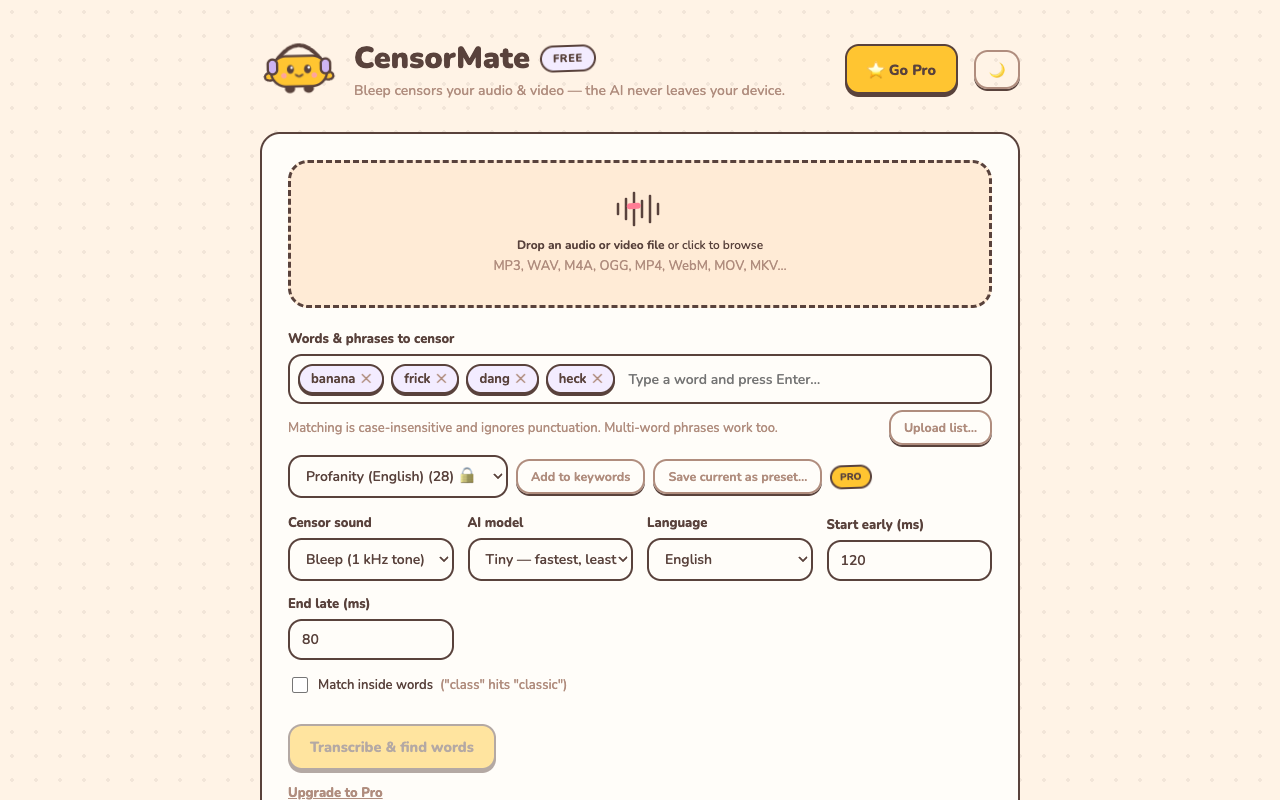
1. Drop in your file and list your words
Drag your video or audio into CensorMate and add the words to censor — type them, load the built-in profanity pack, or upload a whole keyword list.
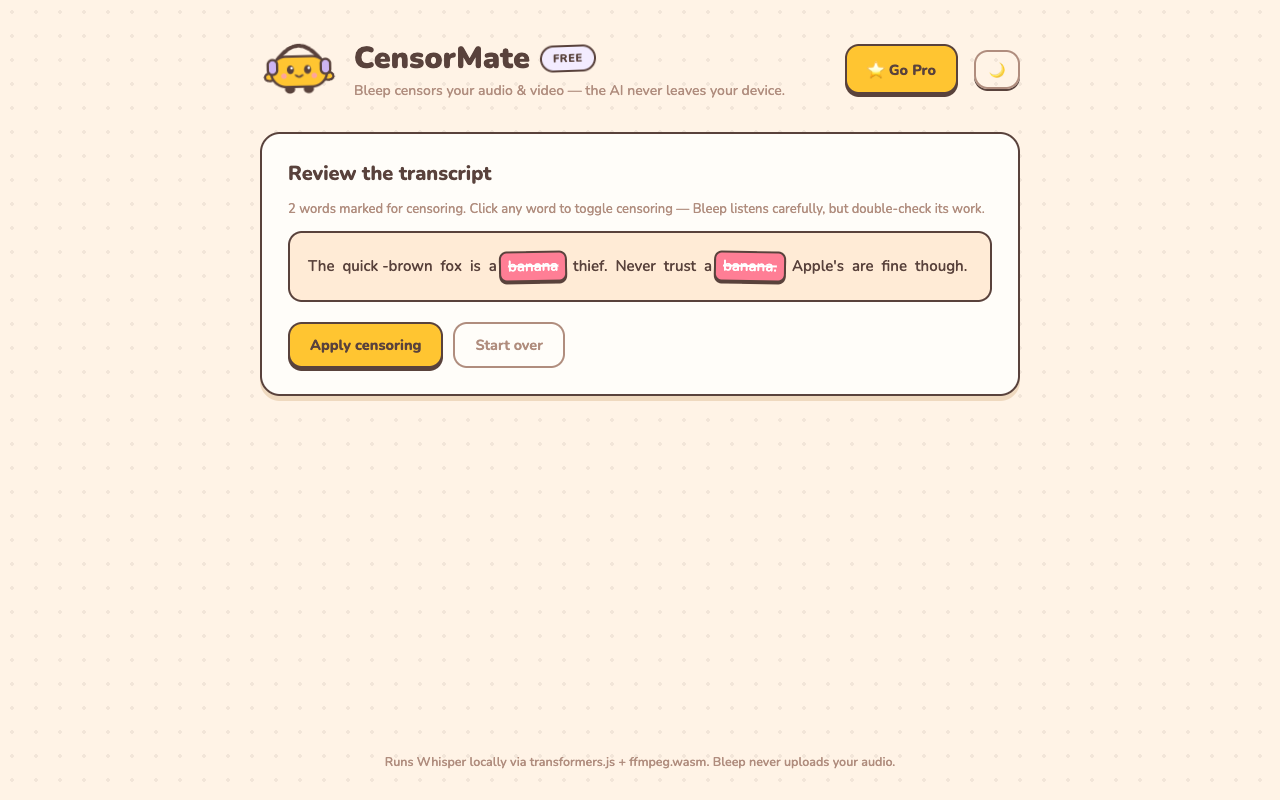
2. Review what the AI found
The AI transcribes locally (nothing is uploaded) and highlights every match with word-level timing. Click any word to censor or spare it — you get final say.
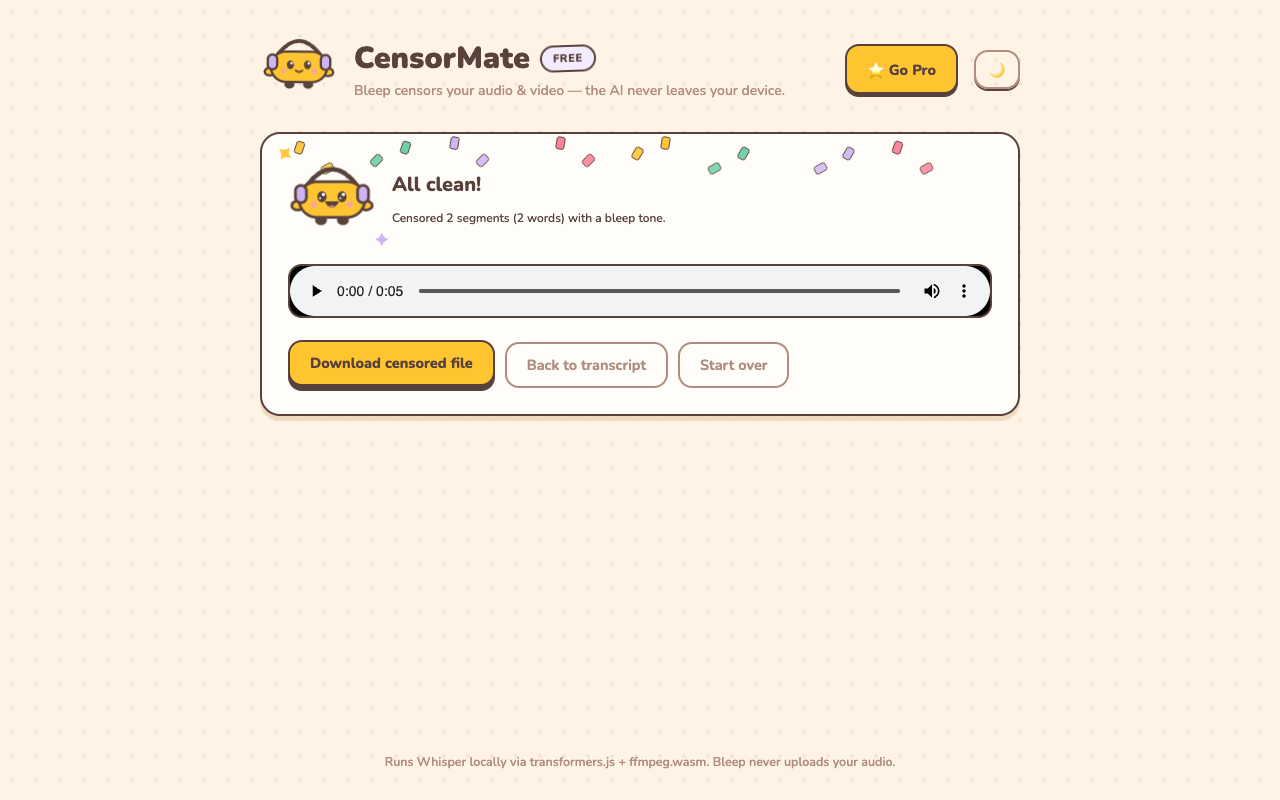
3. Download the clean version
Bleep or silence — your pick. Video quality is untouched (only the audio track is rebuilt) and the file is ready to publish.
Gaming-specific tips
- Voice chat is the usual suspect. Your own mic discipline might be perfect — your random teammates' isn't. The transcript review catches everything on the track.
- Montages: censor segments before the edit. Bleep each clip while it's a standalone file, then cut the montage from clean segments — no bleeping over your music bed later.
- Discord and community servers count. Plenty of partnered servers enforce family-friendly media rules; a censored version means your clip survives moderation everywhere.
- Game dialogue can demonetize too. M-rated games write M-rated lines; YouTube's classifier doesn't care that a character said it.
✂️ Ready? Watch it bleep your file free in about three minutes — keep the result for $4.99 (24-hour pass) or $3.99/mo.
Open CensorMate🔒 On-device AI. Nothing gets uploaded — to us or anyone.
Frequently asked
Does it catch words from teammates and game audio?
Yes — the AI transcribes everything in the audio track: your mic, voice chat, and in-game dialogue. The transcript review shows exactly who said what, and you choose what gets bleeped.
Are clips free to censor?
Previewing is free on any file up to 10 minutes — full transcript, every match highlighted, each bleep audible in place. Keeping the censored file costs $4.99 for a 24-hour Day Pass with unlimited exports (no subscription) or $3.99/mo — one gaming session’s worth of clips easily fits in a pass. Regulars: $3.99/mo, $24/yr, or $79 lifetime.
Will the bleep ruin the clip’s timing?
CensorMate uses word-level timestamps plus boundary detection, so the bleep covers the word and only the word — the callout before it and the reaction after it stay intact.
Can I use a custom sound instead of the bleep?
The built-in options are the classic 1 kHz bleep or clean silence. If you want novelty sounds, censor with silence and drop your sound effect in any editor — or grab tones from our free bleep sound pack.
Related: Censor Twitch VODs & clips · Censor YouTube Shorts · Free bleep sound effects