Updated July 10, 2026 · CensorMate Blog
How to Censor Podcasts: Complete Guide for 2026
A great podcast conversation is unscripted — which means sooner or later, a guest drops a word your sponsor’s brand-safety team won’t love. Here’s how to clean up episodes in minutes instead of losing an evening to waveform surgery, without uploading your raw audio anywhere.
Why Censor Your Podcast?
Protect sponsorships
Brand-safety language is now standard in podcast sponsorship contracts. One un-bleeped episode can void an entire campaign — advertisers increasingly run automated content scans before payout.
Reach “clean” audiences
Apple Podcasts’ explicit tag, Spotify’s content filters, and family listening modes all gate distribution. A clean feed (or a clean version of your feed) reaches listeners the explicit tag locks out — including the enormous “listening with kids in the car” segment.
Platform compliance
YouTube podcasts inherit YouTube’s profanity demonetization rules. If your podcast doubles as a YouTube upload, censoring isn’t optional for monetization.
Professional polish
A tasteful bleep reads as intentional and broadcast-professional. Raw profanity in an otherwise polished show reads as a miss.
The Old Way vs. the 2026 Way
Manual: listen to the full episode, mark each timestamp, cut audio, drop in bleep tones, re-render. For a 60-minute episode: 2–3 hours, and you will miss one at some point.
AI-assisted: speech recognition transcribes the episode with word-level timestamps, your keyword list gets matched automatically, and the bleeps land sample-accurately. With CensorMate the entire process runs in your browser — your unreleased episode never touches anyone’s server, which your lawyer and your guests will both appreciate.
🎙️ Preview your next episode censored, free — then one Day Pass exports the whole backlog.
Try CensorMate free🔒 On-device AI. Unreleased episodes stay on your machine.
Step-by-Step: Censor a Podcast Episode
Step 1: Drop in your audio
MP3, WAV, M4A, OGG — drag the episode in. Add your word list (or upload one; most shows keep a standing list of a dozen words). Multi-word phrases work too, which helps with brand names and competitor mentions.
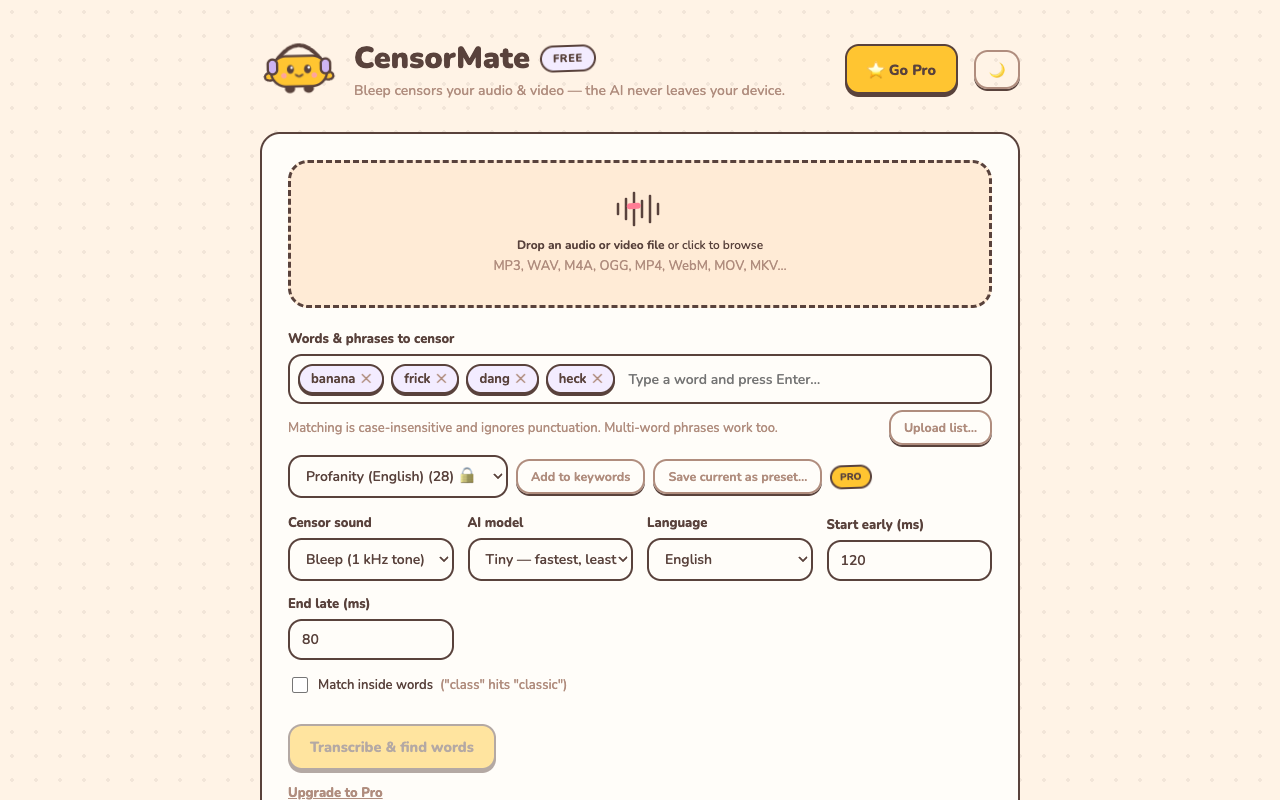
Your keyword list is saved automatically for the next episode.
Step 2: Review the transcript
The AI transcribes locally and highlights every match. Click to toggle any word — critical for podcasts, where context matters (maybe the quote needs the word, or the AI heard “ship” a bit too generously).
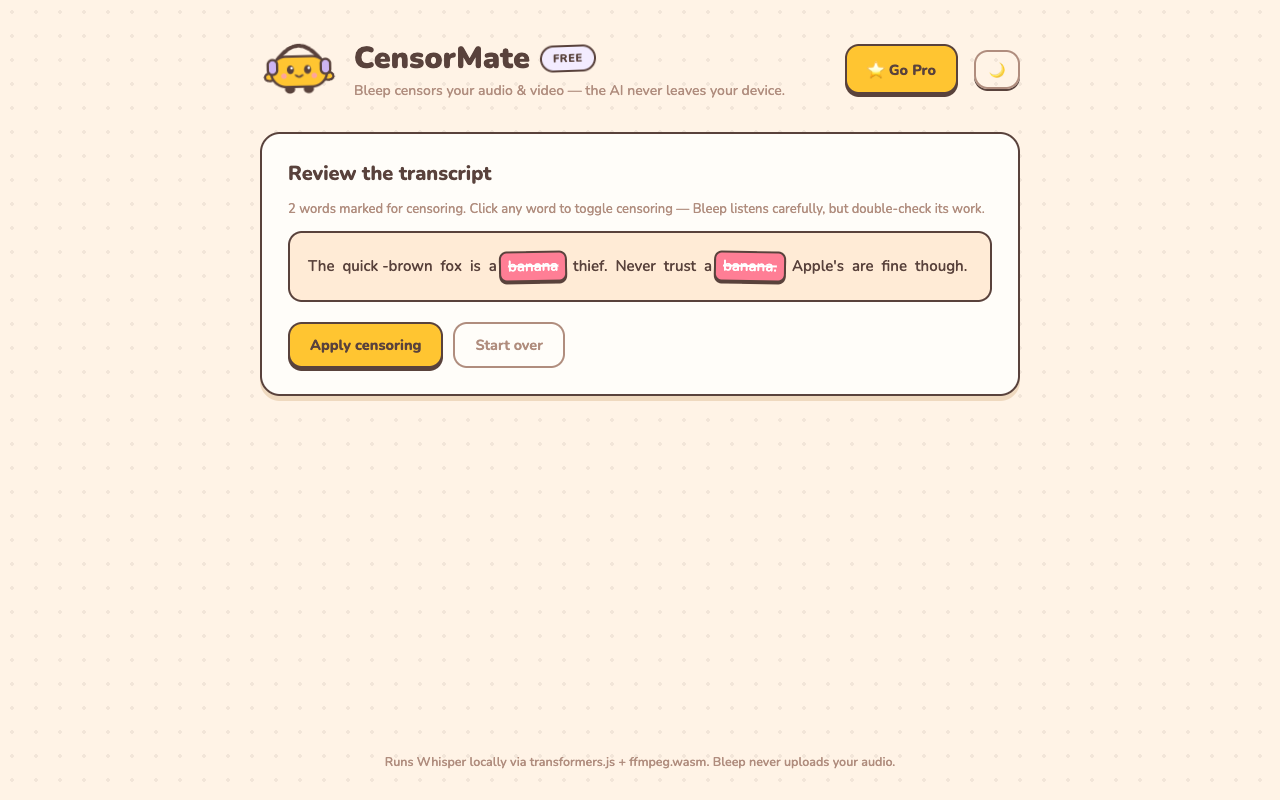
Full transcript review — you approve every bleep before it happens.
Step 3: Export the clean episode
Pick bleep or silence (podcasters usually prefer the bleep — silence can read as an edit glitch), apply, download. Done.
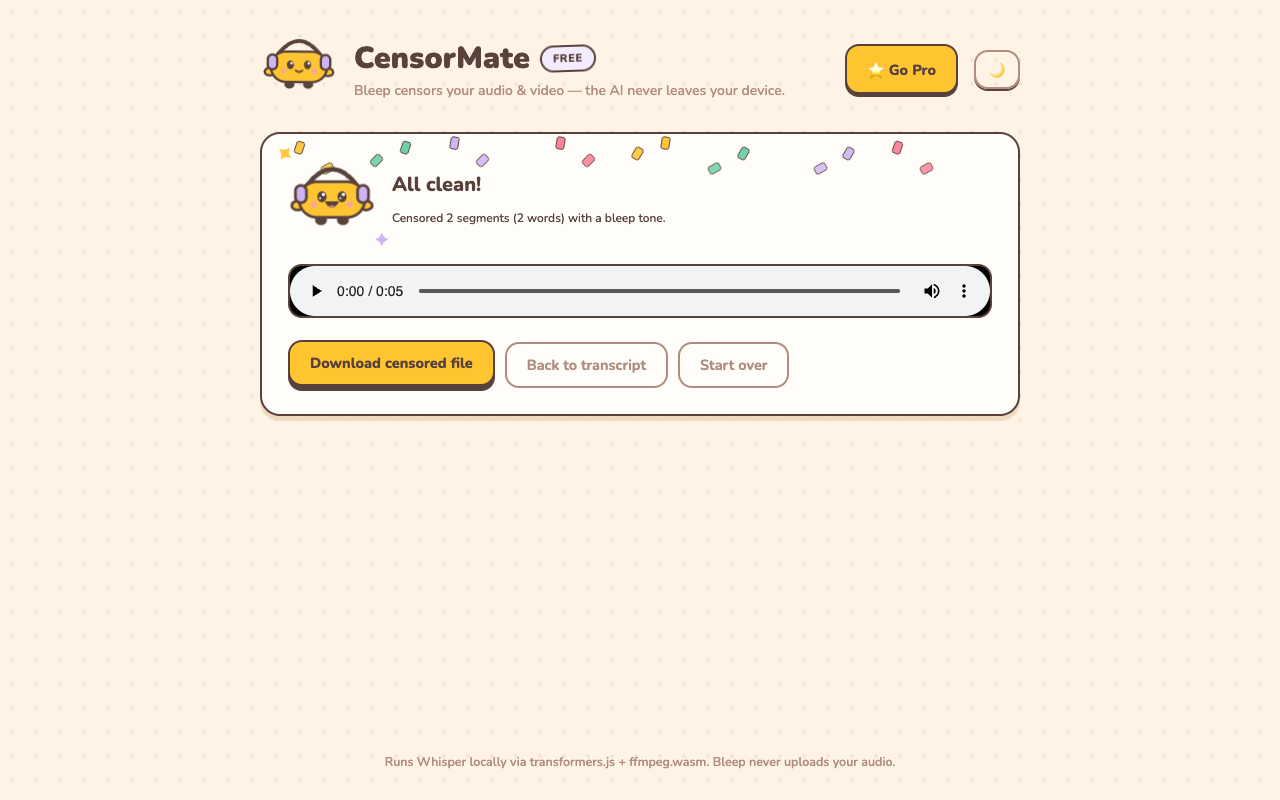
A 60-minute episode typically processes in a few minutes.
Time Savings, Concretely
| Episode length | Manual censoring | CensorMate |
|---|---|---|
| 30 min | ~1–1.5 hours | ~5 min + review |
| 60 min | ~2–3 hours | ~10 min + review |
| Weekly show, yearly | ~100–150 hours | ~10 hours |
That’s not an efficiency gain; that’s a part-time job you stop doing.
Podcast-Specific Tips
- Keep a standing word list covering your sponsors’ requirements — CensorMate remembers it between sessions.
- Publish clean as the default, explicit as the alternate feed, not vice versa — discovery algorithms favor clean-tagged shows.
- Watch guest intros. The first minutes of loose banter produce a disproportionate share of slips.
- Preview free, pay to keep: the AI transcribes and previews every bleep free; exports are $4.99 for a 24-hour Day Pass or $3.99/mo, and episodes over 10 minutes or the highest-accuracy model are the Pro upgrade ($3.99/mo).
Related guides: How to censor videos online · Avoid YouTube demonetization
Censor your videos in minutes — right in your browser
CensorMate finds and bleeps any word with on-device AI. Nothing is uploaded, ever. Free to start.
Try CensorMate free